

Are you tired of dealing with slow Wi-Fi signals, dropped connections, and frustrating connectivity issues? If so, you’re not alone. Many of us have experienced these problems at some point, especially in homes with multiple devices and a large network to cover. That’s where TP-Link PowerLine comes in – a revolutionary technology that uses your home’s electrical wiring to create a fast, reliable network.
What is TP-Link PowerLine?
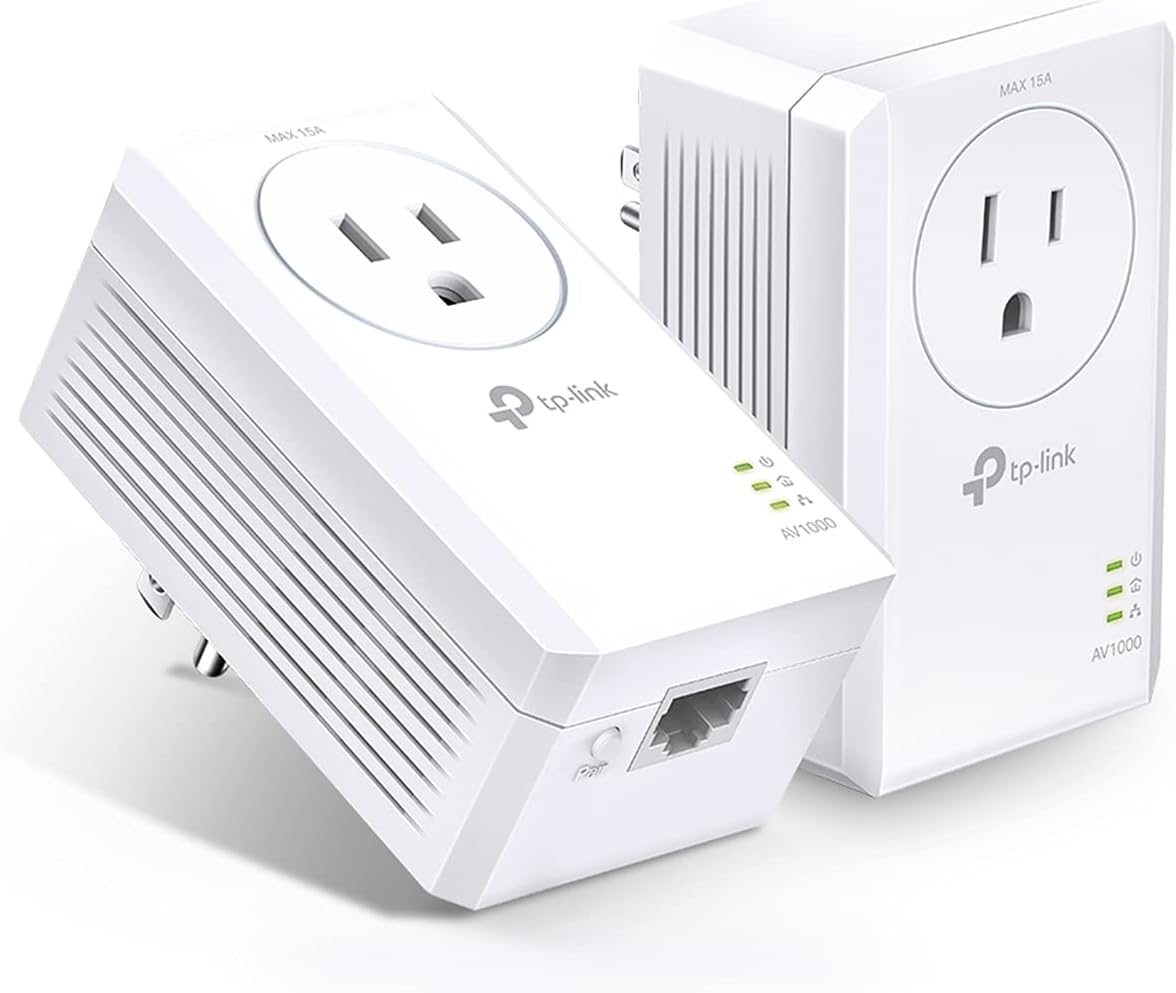
TP-Link PowerLine is a networking solution that uses the power lines of your home to extend a network. This technology is designed to provide fast and reliable connectivity for devices such as smart TVs, streaming devices, and gaming consoles.
Benefits of Using TP-Link PowerLine
So, what makes TP-Link PowerLine so special? Here are some of the key benefits:
- Faster Speeds: TP-Link PowerLine offers speeds up to 450 Mbps, making it ideal for heavy internet users who need fast and reliable connectivity.
- Reliability: Because it uses your home’s electrical wiring, TP-Link PowerLine is less prone to interference and dropouts compared to traditional Wi-Fi networks.
- Easy Setup: Setting up TP-Link PowerLine is relatively simple and can be done in minutes. Just plug in the devices and you’re good to go!
- Convenience: With TP-Link PowerLine, you don’t need to worry about cables or Wi-Fi extenders. Simply use your existing power lines to create a network.
Setting Up Your TP-Link PowerLine System
To get started with TP-Link PowerLine, you’ll need the following devices:
- PowerLine Adapters: These are the devices that plug into your power outlets.
- Router: This is the device that connects to your internet service provider.
Here’s a step-by-step guide to setting up your TP-Link PowerLine system:
- Connect one of the PowerLine adapters to your router using an Ethernet cable.
- Plug in another adapter into a power outlet near where you want to connect devices.
- Connect a device (such as a smart TV, streaming device, or a switch) to the second adapter using a Ethernet cable.
Conclusion
TP-Link PowerLine is a game-changer for anyone looking to improve their home network. With faster speeds, reliability, and convenience, it’s the perfect solution for heavy internet users and gamers alike. By following these steps and tips, you can set up your own TP-Link PowerLine system and enjoy a faster, more reliable network.
I hope this article has provided you with all the information you need to get started with TP-Link PowerLine. If you have any questions or comments, feel free to leave them below!