

As a parent, there’s nothing more valuable than keeping your child safe and protected from the digital world. With the increasing amount of time spent on screens by children, it’s essential to have measures in place to ensure their online safety and well-being.
Parental controls are an excellent way to safeguard your child’s online activities, limit exposure to inappropriate content, and monitor their behavior. In this blog, we’ll discuss the importance of parental controls for kids and some suggestions on tools to use.
Why Parental Controls Matter
- Protects from Online Predators: With the rise of social media and online communities, children are more vulnerable to online predators. Parental controls can help filter out suspicious interactions and keep your child safe.
- Limits Access to Inappropriate Content: Many parents worry about their kids accessing explicit content on the internet. Parental controls allow you to restrict access to mature themes, violence, or other inappropriate material.
- Monitors Screen Time: Excessive screen time can lead to physical and mental health issues in children. Parental controls help you set limits on screen time, ensuring your child doesn’t spend too much time staring at screens.
- Prevents Cyberbullying: With the rise of social media, cyberbullying is a growing concern. Parental controls can help monitor online interactions and prevent your child from engaging with bullies.
Tools for Effective Parental Controls
- Qustodio: A comprehensive parental control software that monitors online activities, blocks inappropriate content, and limits screen time.
- Kaspersky Safe Kids: Offers a range of features, including app blocking, online protection, and location tracking, to keep your child safe online.
- Net Nanny: A popular parental control tool that filters out mature content, monitors online interactions, and sets time limits on devices.
- Google Family Link: A free app that allows you to monitor your child’s screen time, set boundaries, and block apps on their device.
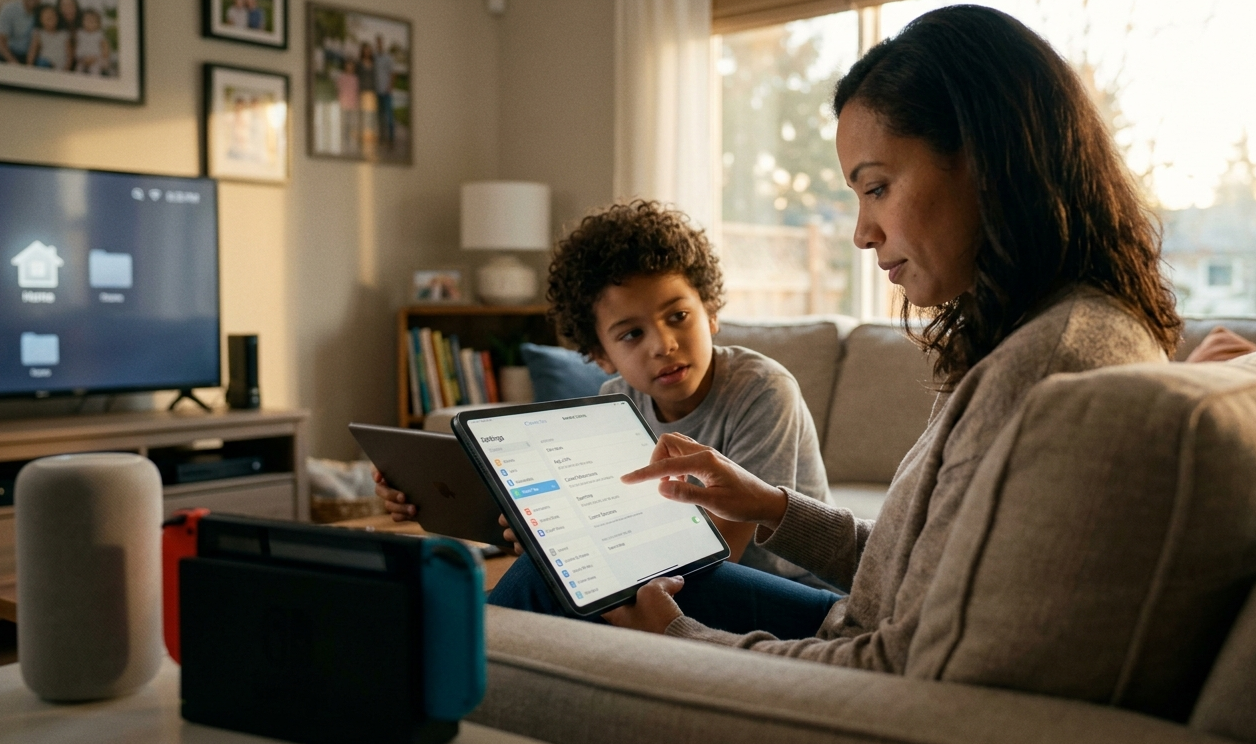
- Screen Time Parental Control: A feature built into iOS devices that allows you to set time limits, restrict access to certain content, and monitor online activities.
Additional Tips for Effective Parental Controls
- Set Clear Boundaries: Establish clear rules and guidelines for your child’s online behavior, including screen time limits and access to specific websites.
- Communicate with Your Child: Have open conversations with your child about online safety, cyberbullying, and the importance of digital responsibility.
- Regularly Monitor Activities: Use parental control tools to regularly monitor your child’s online activities, ensuring they’re staying within set boundaries.
- Stay Up-to-Date: Regularly update parental control software and apps to ensure they remain effective in keeping your child safe online.
In conclusion, parental controls are a vital tool for protecting children from the digital world. By using these tools and setting clear boundaries, you can help keep your child safe, prevent exposure to inappropriate content, and promote healthy screen time habits. Remember to stay informed, communicate with your child, and regularly monitor their activities to ensure their online safety and well-being.
I highly recommend using Google Family Link since it is free. With this you can limit access to application as well as screen-time. It’s not as powerful as some of the other tools available but it is free.
The most important tool you can utilize is communication. Talk to your child, teach your child about digital citizenship, online etiquette, and how to handle cyberbullying situations.
Additional Features for Preventing Cyberbullying
While parental controls are essential in preventing cyberbullying, some tools offer additional features that can further support your efforts. Here are some advanced features to look out for:
- Advanced Filtering: Some parental control software and apps offer advanced filtering capabilities that allow you to block specific words, phrases, or websites that may be associated with cyberbullying.
- Social Media Monitoring: Tools like Kaspersky Safe Kids and Qustodio offer social media monitoring features that alert parents to suspicious activity, such as unusual friend requests or posts.
- AI-Powered Content Analysis: Some tools use artificial intelligence (AI) to analyze online content for potential red flags, such as bullying language or threats.
- Real-Time Alerts: Many parental control software and apps offer real-time alerts when your child engages in potentially problematic behavior, such as sending a mean message or posting a provocative post.
- Reporting Tools: Some tools provide reporting features that allow you to report suspicious activity, such as cyberbullying or harassment, directly to the platform or authorities.
- Online Safety Education: Some parental control software and apps offer online safety education resources that teach children about digital citizenship, online etiquette, and how to handle cyberbullying situations.
- Parent-Child Communication Tools: Some tools provide features that allow you to have open and honest conversations with your child about cyberbullying, such as messaging or video conferencing capabilities.
Notable Tools for Cyberbullying Prevention
- Cyberbullying Tracker: A tool specifically designed to help parents track and prevent cyberbullying on social media platforms.
- Google’s Digital Wellbeing: An app that provides tools and resources to help children manage their digital life, including features to detect and prevent cyberbullying.
- Kaspersky’s Anti-Bullying Tool: A feature within Kaspersky Safe Kids that uses AI-powered content analysis to detect and block cyberbullying activity.
- Qustodio’s Cyberbullying Protection: A feature that uses advanced filtering and monitoring capabilities to prevent cyberbullying on social media platforms.
Best Practices for Preventing Cyberbullying
- Educate Your Child: Teach your child about digital citizenship, online etiquette, and how to handle cyberbullying situations.
- Monitor Online Activity: Regularly monitor your child’s online activity and adjust parental control settings as needed.
- Encourage Open Communication: Foster open and honest communication with your child about their online experiences and feelings.
- Set Clear Boundaries: Establish clear rules and guidelines for online behavior, including consequences for cyberbullying.
- Seek Help When Needed: Know when to seek help from authorities or experts if you suspect your child is a victim of cyberbullying.
By combining these features with best practices, you can create a comprehensive approach to preventing cyberbullying and keeping your child safe online.